
Skip to content
Add us as your preferred news source on Google

Post-launch update for DRIFTCE fixes many early issues

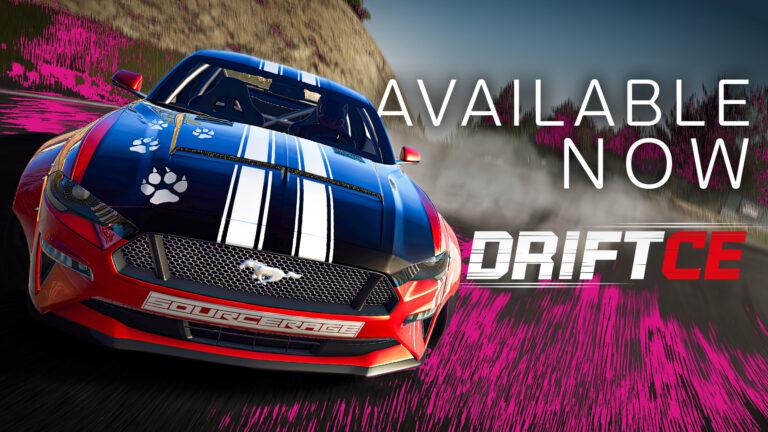
The first big update for the console-ported DRIFTCE by 505 Games is available as of 28th June and with it brings needed fixes to the title.

3 minute read

By Justin Melillo

The console port of DRIFT21 from 505 Games, DRIFTCE, released back in May of 2023. Just more than a month later, there’s finally a post-launch patch available for the title on Xbox Series X, PlayStation 5 and PlayStation 4.

Many wheel issues found at launch seem to have been fixed or improved upon. Other glitches and game-breaking issues have also been looked at and addressed in the patch.

This comes just less than a week after the PC via Steam version of the title, the original DRIFT21, also received a large update dubbed the Haruna Update. As for these console versions, the patch notes can be viewed below. DRIFTCE is available now for $29.99.

More DRIFTCE stories

Drift CE (XSX, PS5, PS4) Post Launch Update (2023 June 28) Bug fixes and improvements:

  • ‘Fanatec’ steering wheels input not working
  • No force feedback support for ‘Logitech’ steering wheels
  • Possibility to pick additional buttons: L2, R2 in ‘Controls options – Steering wheel – Alternative Handbrake’
  • The user cannot scroll the list of servers in the Multiplayer window.
  • General fixes in the painting and decal system of the car.
  • Application soft-locks upon entering the multiplayer gameplay immediately after launching the application
  • Application soft-locks upon entering the Garage/Decals gameplay immediately after launching the application
  • The user is unable to select ‘Camera setup’ options after watching any replay in the ‘Pause’ menu.
  • Navigation texts and In-game texts are corrupted throughout the game when the user selects ‘Reset all settings’ in the ‘Settings’ menu.
  • Infinite loading animation is displayed for the client when the host quits the server and the client selects the host’s server in the ‘Servers List’.
  • A white patch is displayed randomly on the car selection tile after entering Single player mode from the virtual garage.
  • The car preview image appears to be pixelated on selecting the ‘Virtual Garage’ in Career mode.
  • The car preview image on the ‘Select Car’ tile appears to be pixelated on the ‘Quick Race and Multiplayer’ screen.
  • The player is unable to resize the decal horizontally by pressing Dpad left and right buttons in the paint booth.
  • Selection highlighter is displayed incorrectly on the third car when the user moves the first car using the ‘RT’ button in the ‘Virtual garage’.
  • The user is unable to navigate the color options of the car after the user cancels the purchase car pop-up in ‘Car shop’.                  
  • The environment view appears to be blurred out during gameplay on switching the camera view to ‘Cockpit with driver’ for the Haruna track
  • Incorrect text ‘Return to garage’ is displayed on the header of the confirmation window after selecting ‘Quit session’ in Single-player/Multiplayer mode gameplay
  • The application fails to take input from the Steering wheel’s Directional buttons on dismissing the ‘Quit session’ confirmation pop-up
  • OPTIONS and the Down button fail to function after invoking the pause menu on the ‘Well done!’ popup message, in career mode
  • The user is unable to edit any ‘Decals’ after applying it for the first time in the ‘Decals’ menu
  • And other minor bugs.

SOURCE: 505 Games

Top 5 most read this week

Discussion

Leave a comment

Latest news