
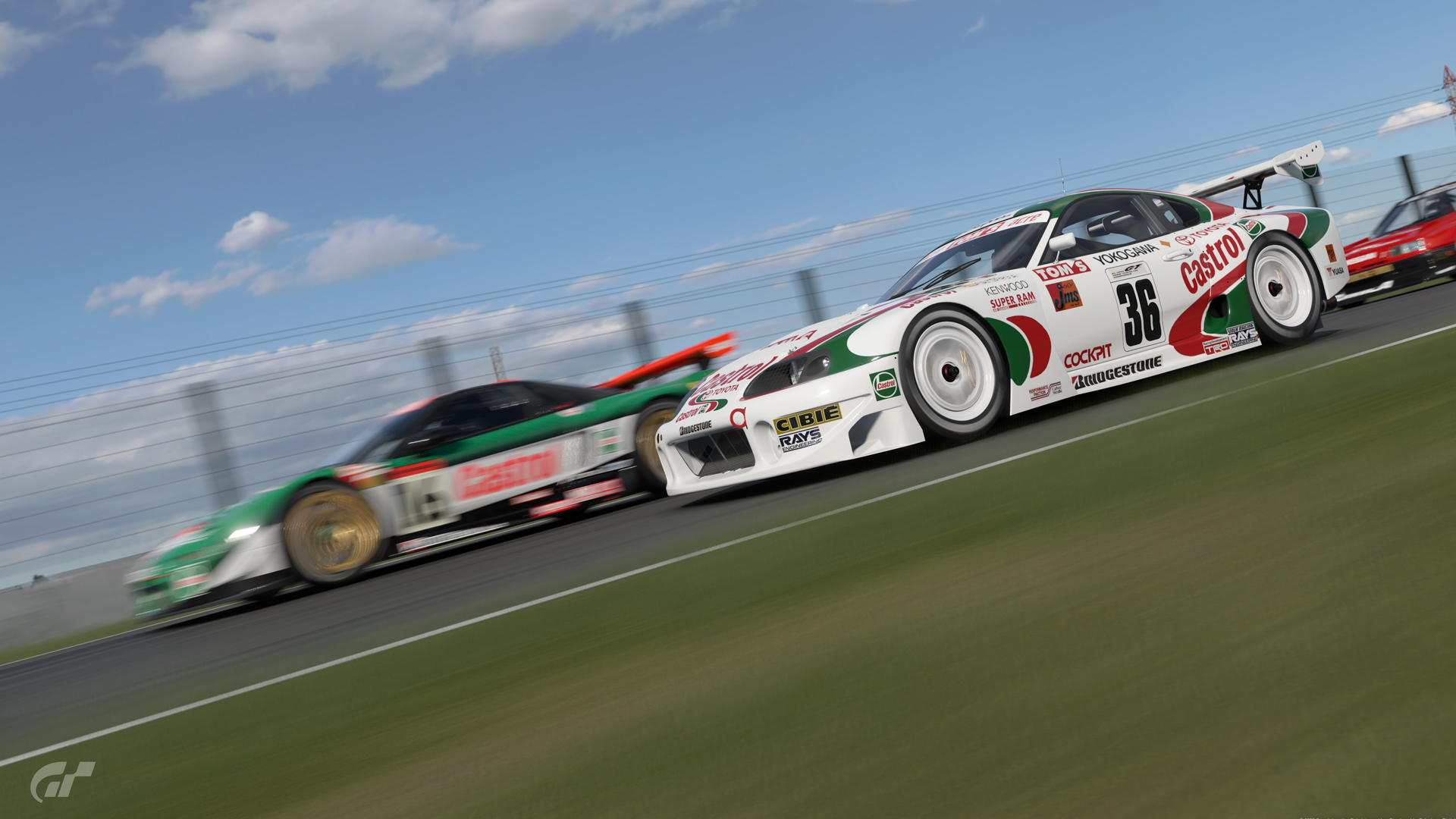
When Gran Turismo 7’s Power Pack DLC was announced, it was stated by publisher Sony that it would include the return of 24-hour races – something absent from the popular driving video game to this point.
Except… when you purchase (£24.99 / $29.99 / €29.99) the add-on, you see the 50 events, the stars to collect, the prizes to earn and the modified cars to unlock. Everything, that is, apart from endurance races.
That’s because these longer challenges are hidden. Here’s how to unlock them and how to save your progress mid-race.
How to unlock Power Pack endurance races
There are several endurance races available in the Power Pack, but you will not see them on the mission map initially.
To unlock these stern tests, you must complete every race in each path. There are six event paths on the map, each with a different colour and associated theme.
Completing one event will unlock the next, which you can immediately see on the event map, combined with earning enough stars (up to 20 stars per event are distributed).
Progress along a path – and winning a race or selecting one or two ‘chilli’ difficulty levels are not required – and once you complete the final challenge, the secret endurance race will appear.
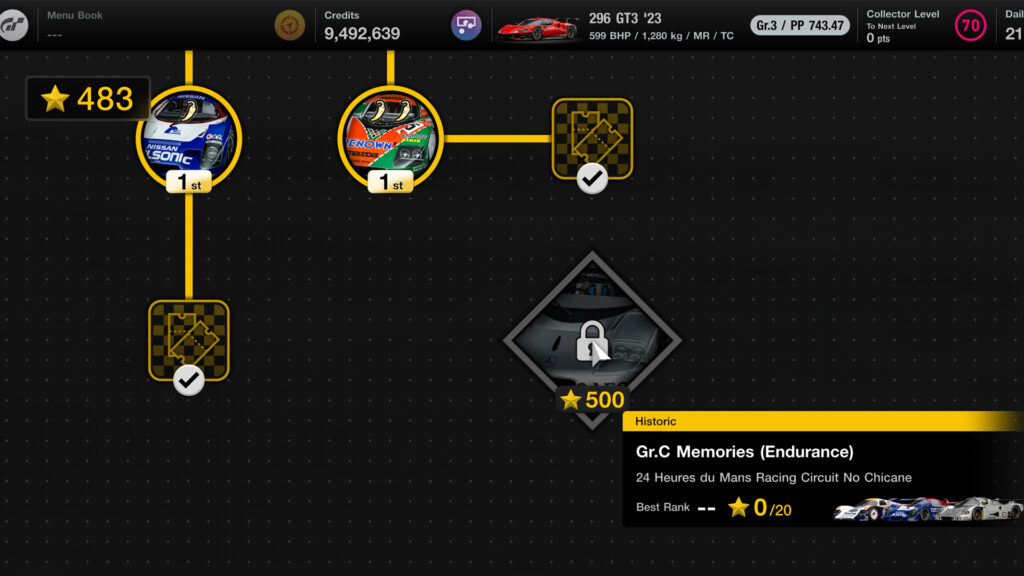
For example (below), here we won each event on the yellow path, and a 24 Hours of Le Mans race appears near, but not joined to, that line.
In this other example (below), we completed each race, but rather obviously didn’t win each race – but the six-hour race around Fuji still appears.
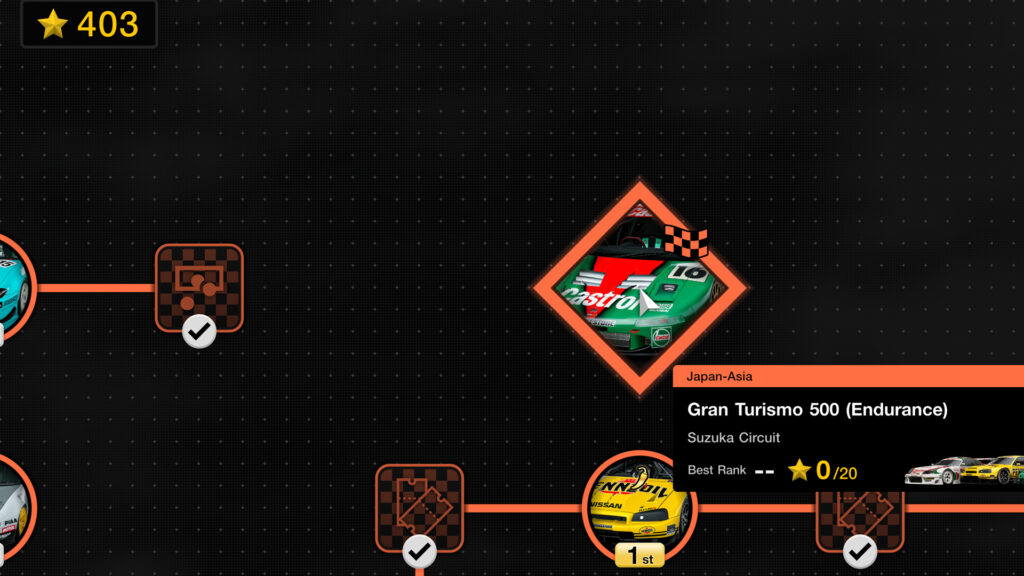
You do not need to unlock every prize reward on a path for the endurance races to appear; just finish the race events.
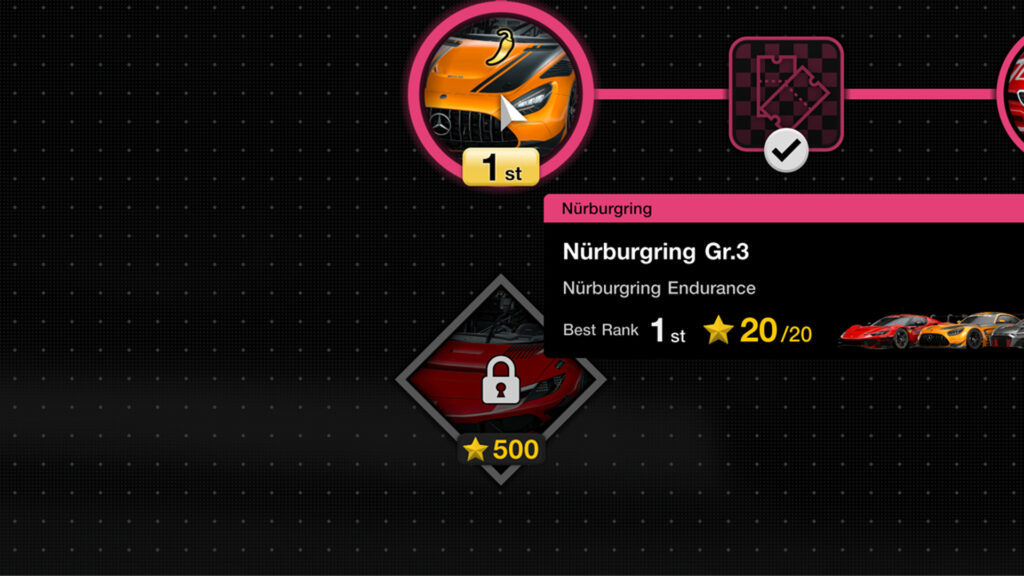
However, to actually enter the endurance races, there is often a required number of stars. For example, here we have earned the 24-hour race around the Nürburgring, but still needed 500 total stars from other events for entry to open.
- Finish all events in a particular path (there are six event paths in total) to unveil each endurance race
- Then reach a specific number of total event stars to open up entry
How to mid-race save in Gran Turismo 7’s Power Pack
Now, with six-hour or even 24-hour races unlocked, you may be thinking, ‘Is there a way to save your progress mid-race?’
After all, during a day, you will need food, water, a comfort break, look after friends and family and put your bins out. Don’t forget the bins, again!
Well, you can – but there isn’t an obvious menu.
If you pause a Power Pack endurance race, you will not see a save option – like in, say, the EA SPORTS F1 games. Instead, you’ll only see the ability to continue, tweak some settings or retire.
It’s a similar story in pitstops: Change tyres, top-up fuel, but no save race option.
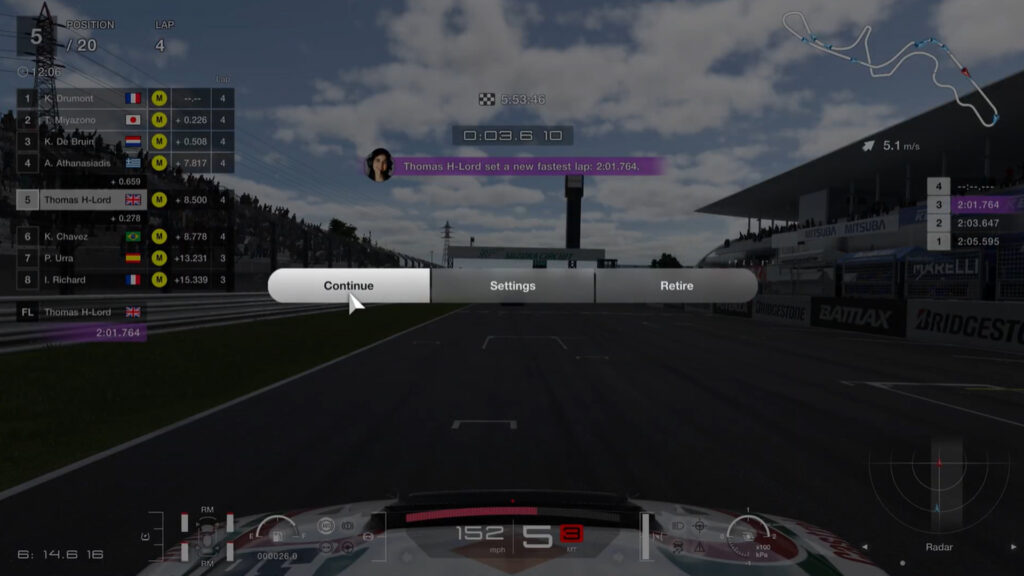
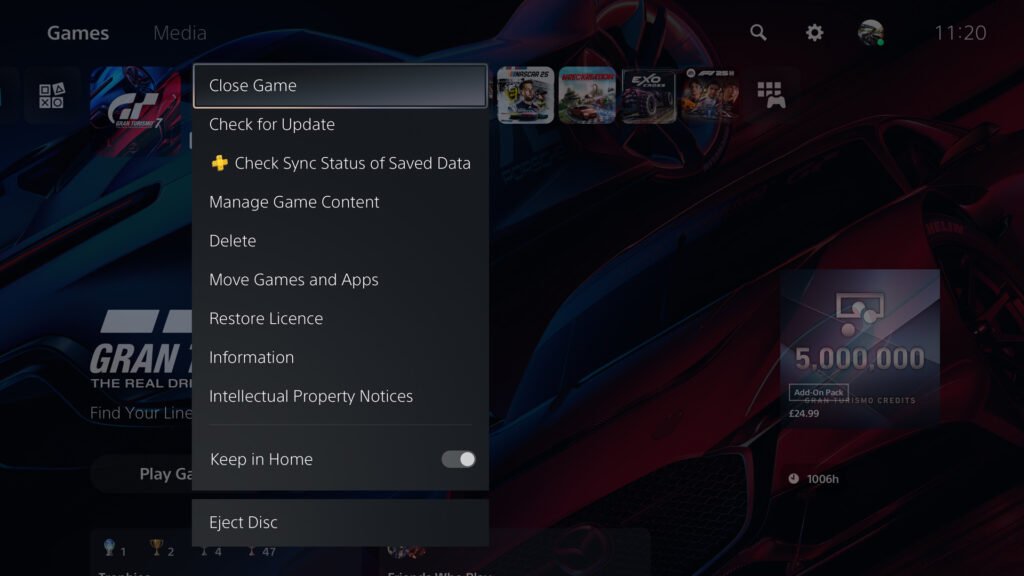
Instead, at any point, pause your race. Then long-press the PS button on your gamepad or wheel. This will take you to the main PS5 menu. Next, with the Gran Turismo 7 tile highlighted, hit the options button and select ‘close game’.
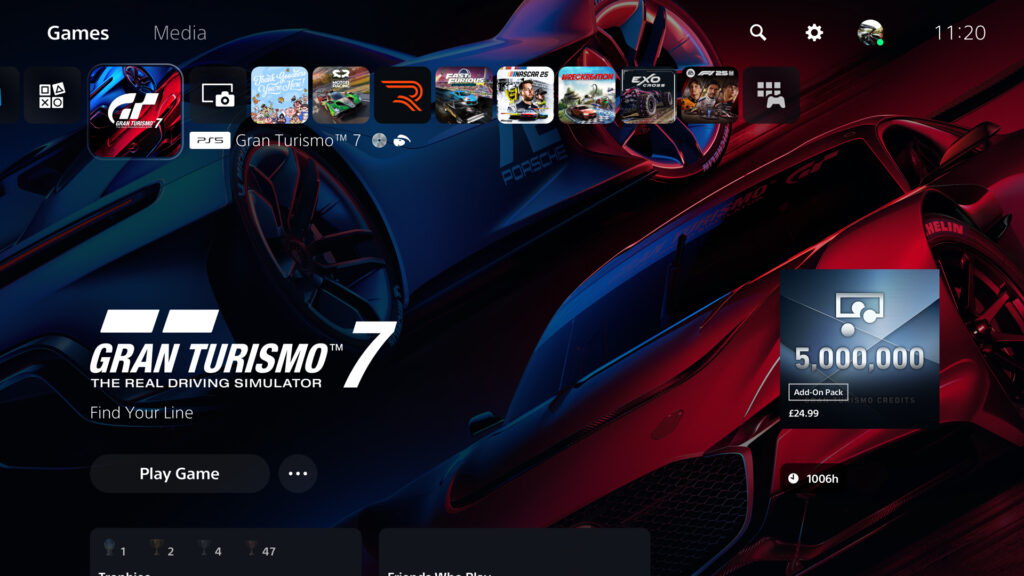
You can now put your PS5 into rest mode, fully power off or play a different game.
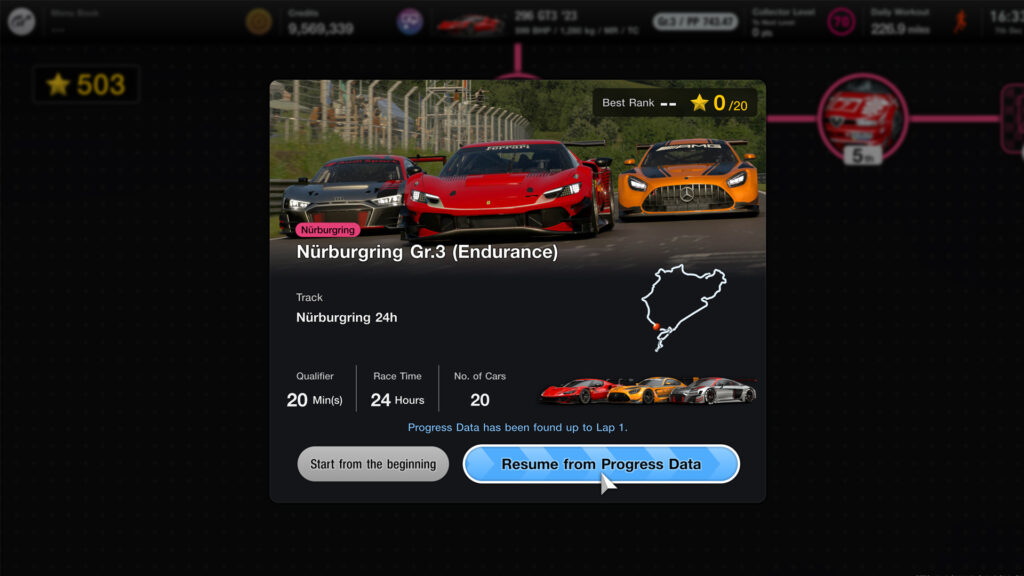
The next time you start Gran Turismo 7, navigate to the Power Pack and the endurance race you left partway through.
Now there will be an option to ‘resume from progress data ‘. Select that to resume your race.
This is ideal, especially for 24-hour races, as competing in one sitting isn’t necessarily healthy.
- Start the endurance race
- Pause when you would like to stop, and mid-race save
- Long-press the PS button on your gamepad or wheel
- Highlight Gran Turismo 7 on the main PS5 home menu, hit the options button, and select ‘close game’
- Now your endurance race progress is saved
- To resume an endurance race, simply restart the game, navigate to the event and select ‘resume from progress data’
What happens when I return to a race midway through?
Should you save your mid-race progress and resume later, the game will take you back to the lap or time you left at – but it will regroup the field into a rolling start.
So, your hard-earned gap may have disappeared, or alternatively, you will be closer to rivals you may have been lagging behind.
You’ll be fitted with new tyres too, but your fuel level, in our experience, is carried across from the pre-save state.
Is there B-Spec mode?
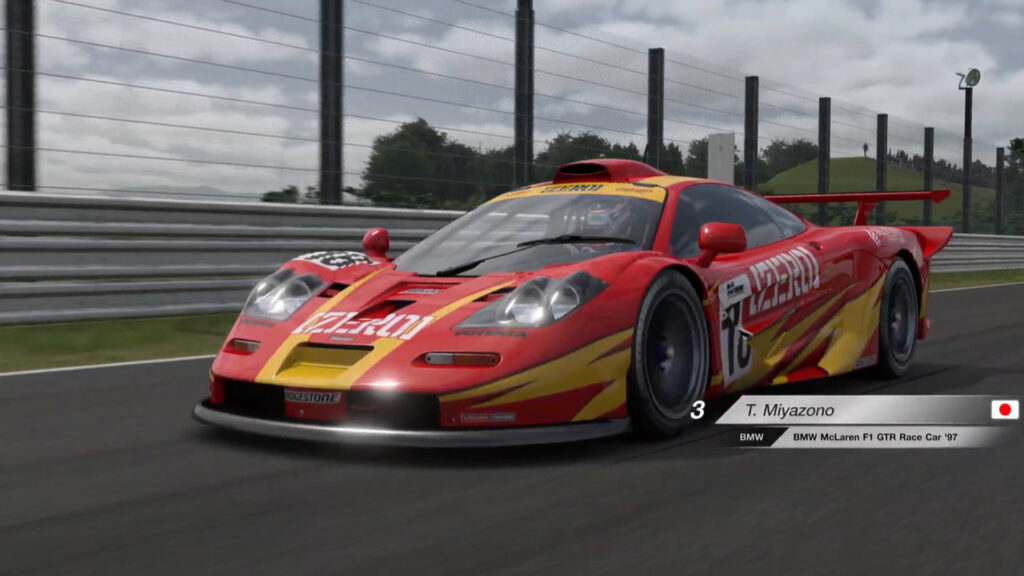
No, all driving in these endurance races must be by you. You cannot allow the AI to control your car, like in prior Gran Turismo games, in a ‘B-spec’ mode.
Can I do other races in Gran Turismo 7 after a mid-race save?
Yes, if you’ve saved your progress in a Power Pack endurance race by quitting the game, you can reboot the game and take part in any other event or game mode. Your mid-race save will be ready for when you are.
Can I save multiple endurance races?
Also, yes, you can enter and mid-race save multiple Power Pack endurance races – for example, we’re partway through a 24-hour Nürburgring race and a six-hour Fuji race simultaneously.



Chat with the Community
Sign Up To CommentIt's completely Free